Twitch with no ads, in HD even during breaks
Nodo Pro uses a network exit to try to keep the stream at your chosen quality during ads, such as 1080p60. Some breaks may fall back to 360p; if no alternative works, the ad may play. It costs US$ 2.99 a month by card, with cancellation in your dashboard.
The same stream, with and without Nodo Pro
Without Nodo, the commercial break takes the stream off the screen and leaves only the ad. With Nodo Pro, the stream stays at the quality you picked, and the Nodo icon shows the channel is protected.
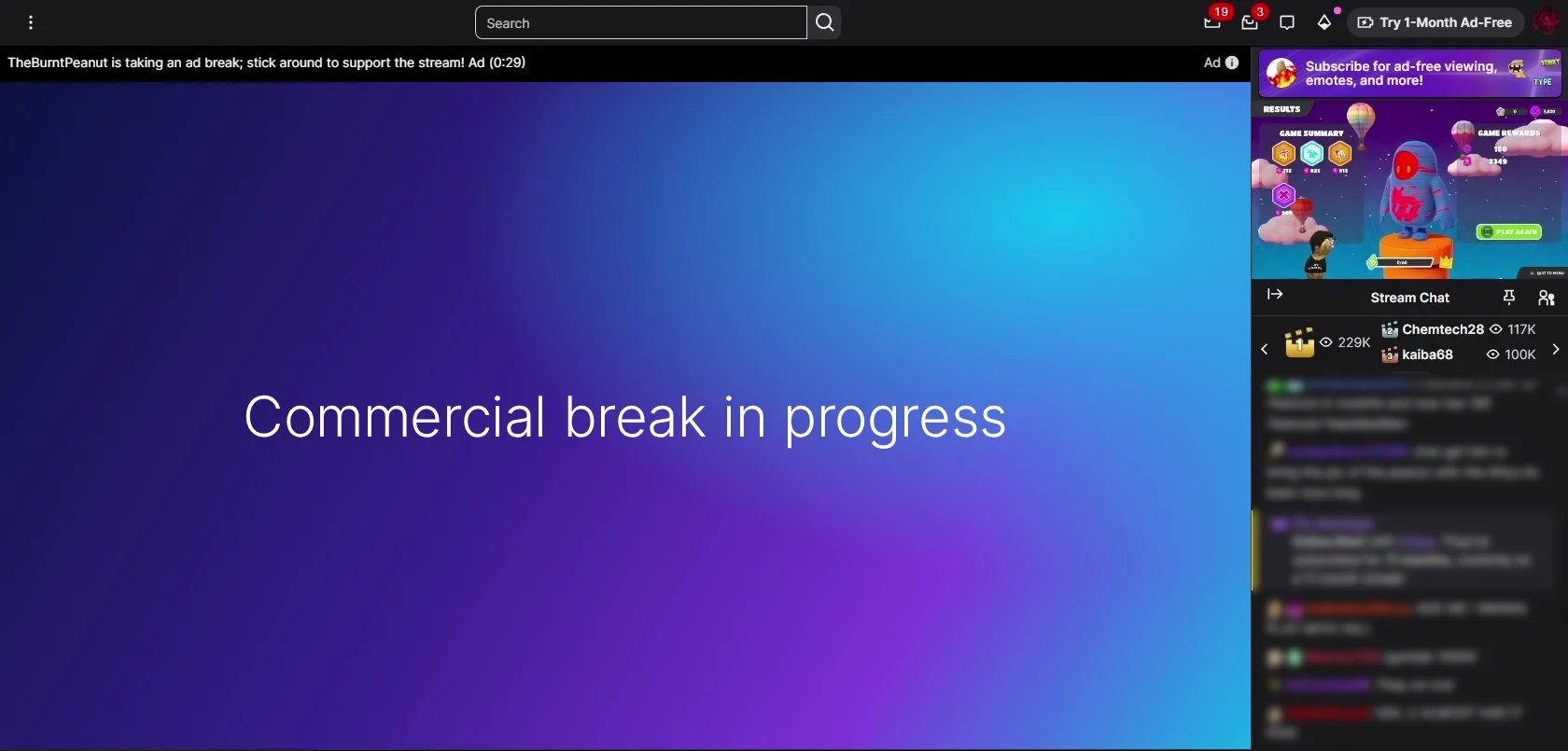
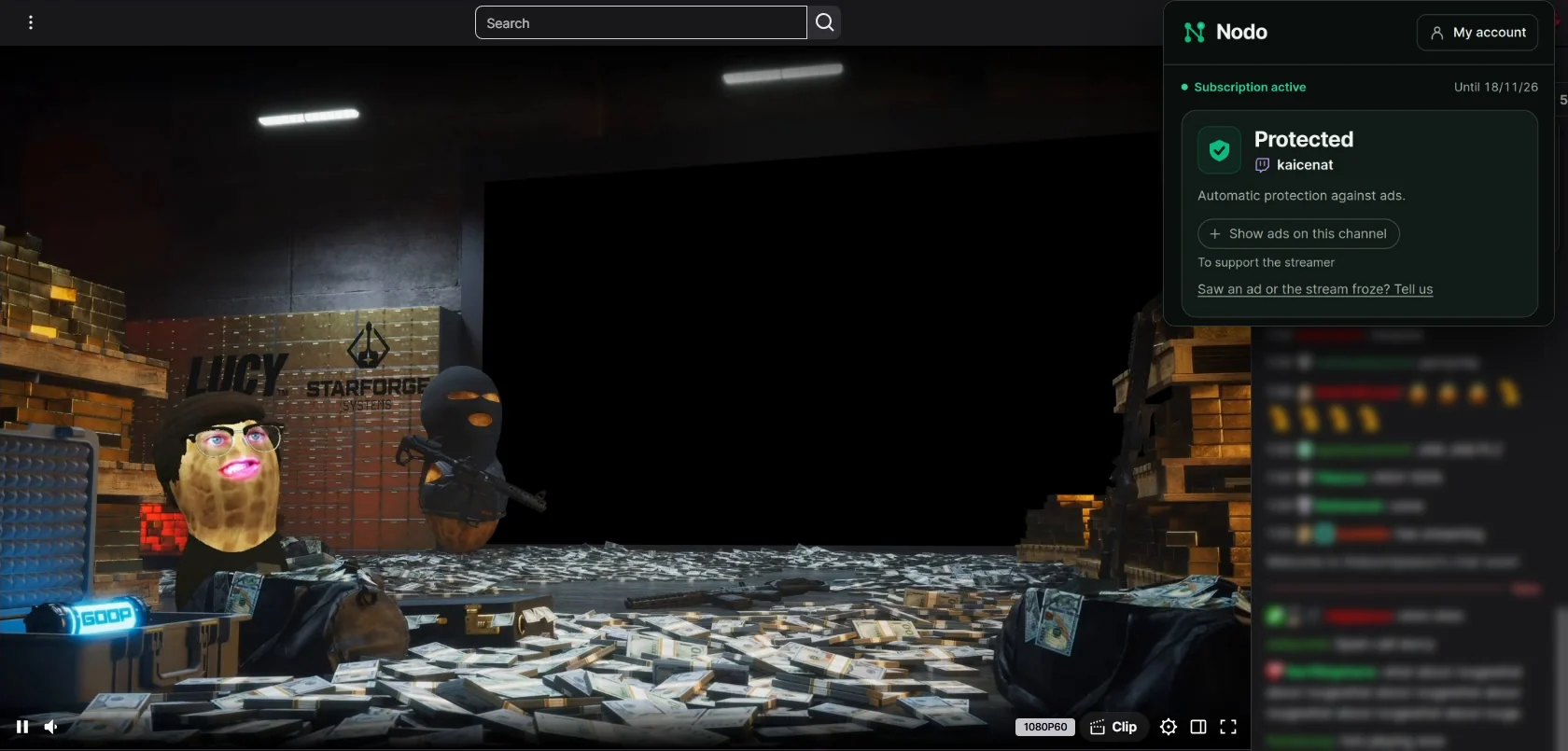
Real captures of the same Twitch stream. The break screen was recreated without the Twitch logo, and the chat was blurred.
Free or Pro: what changes
| Nodo free | Nodo Pro | |
|---|---|---|
| Ad during the break | Replaced by the stream | Replaced by the stream |
| Quality during the break | 360p | Tries your chosen quality; may fall back to 360p |
| Nodo account | Not needed | Needed |
| Goes through Nodo's network | Nothing | Only the requests that control the stream; the video comes straight from Twitch |
| Price | Free at 360p, no expiration | US$ 2.99 a month, by card |
In Brazil, Nodo Pro is R$ 7.90 every 30 days via Pix.
Why free drops to 360p
On free, Nodo handles the break inside your browser: it asks Twitch for an ad-free version of the stream, and that version comes in 360p. When the break ends, the stream goes back to your quality on its own.
On Pro, requests that control playback go through a Nodo network exit to look for an HD alternative. If those alternatives also contain ads, the break may use 360p. If that alternative fails too, the ad may play.
How to turn on Pro
- Install Nodo from your browser's store (free).
- Create an account on runnodo.com and subscribe to Pro.
- Click the Nodo icon and sign in: Pro turns on by itself on your next stream.
Frequently asked questions
- Can I try HD before subscribing?
- Yes. When you install Nodo, your first days are already in HD, just like Pro, with no account and no card. When they end, Nodo lets you know and stays free, with breaks in 360p.
- Does Pro remove every ad?
- On the vast majority of channels, yes. Now and then an ad may still get through, mostly on channels that run their own ads. We test it every day on a real stream and publish the result on the status page.
- Can I cancel anytime?
- Yes. It's monthly, with no commitment. When you cancel, your access lasts until the end of the period you already paid for.
- What goes through Nodo's network?
- Only the requests that control the stream, the ones that ask Twitch which qualities and video segments exist. They travel encrypted, and the video itself comes straight from Twitch. Nodo doesn't see your password, the chat or the other pages you open.
See installation options
Open this page in Chrome, Edge, Brave, Opera or Firefox on your computer. Choose the store for the browser you will use.
US$ 2.99 a month by card. No commitment. Subscribe to Nodo Pro
Read also: How to block Twitch ads · Twitch adblock not working: why, and what to do · Is Nodo safe? · Nodo's daily test